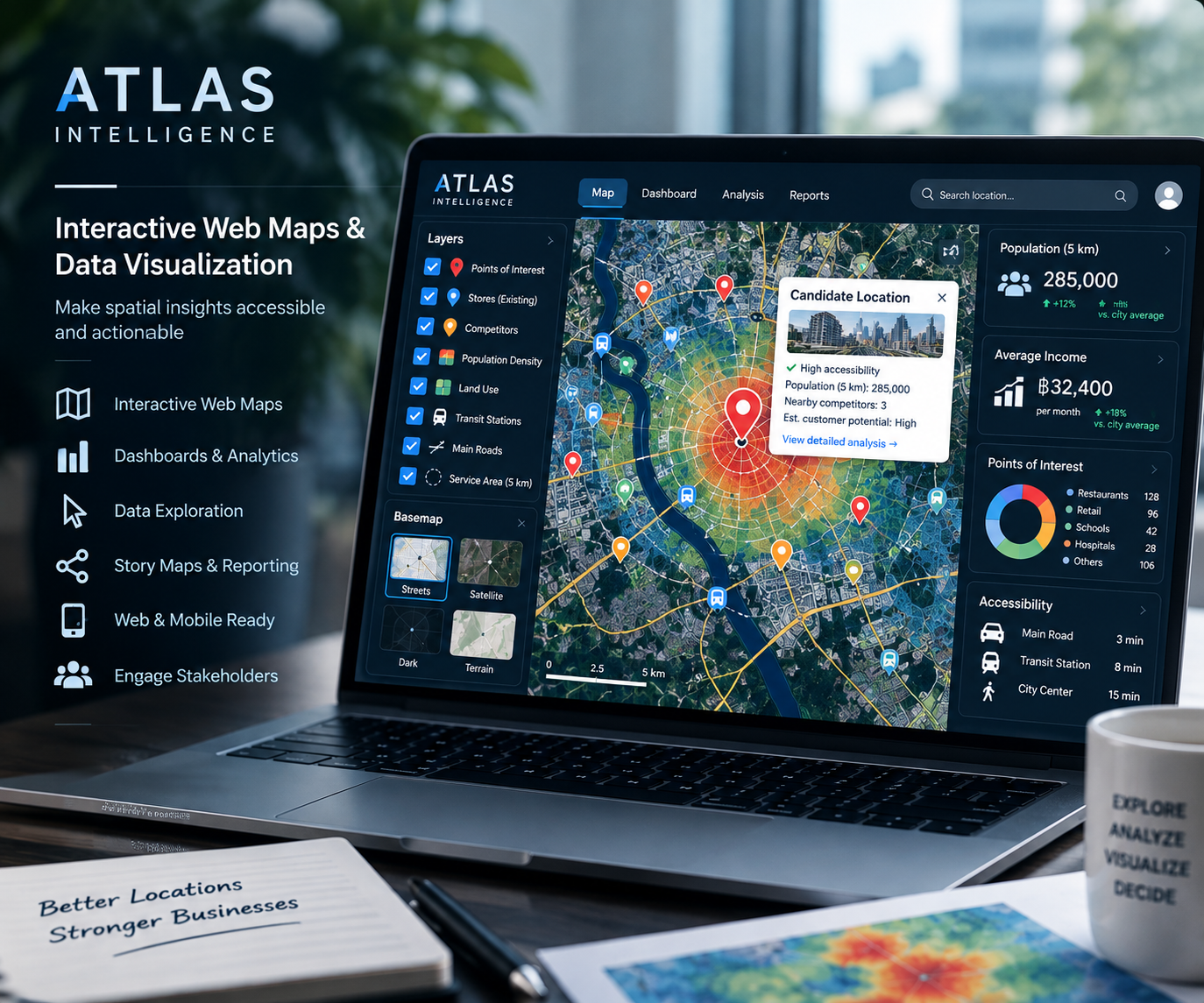
Explore Your Data Through an Interactive Map
Static reports show a single view. An interactive map lets users zoom into an area, switch layers, and open location details to answer their own questions. We design each map around your audience and the decisions they need to make, with clear legends, useful attributes, and an uncluttered interface.
What We Can Build
Searchable Location and Asset Maps
Find stores, properties, facilities, or assets by name or reference code. Open a marker to view relevant attributes, photographs, and supporting links. Search and filter options are selected to match the structure and size of your dataset.
Layered Maps and Spatial Storytelling
Compare areas, view thematic layers, and explain geographic patterns with consistent symbols and readable legends. We organize the map so that stakeholders can move from an overview to the details without needing GIS software.
Charts and Map-Based Visualizations
Present location indicators alongside charts or summary views where they improve understanding. Dashboard features, linked filters, and update frequency are agreed during scoping so the final deliverable matches your needs.
What You Receive
Depending on the agreed scope, deliverables include a configured web map, prepared display layers, searchable attributes, popup content, legends, and a short handover guide. We can also provide exportable project files or a package for your hosting environment. Hosting, access controls, ongoing updates, and maintenance are defined separately before development.
How the Project Works
01 — Define the Audience and Purpose
We agree who will use the map, which questions it should answer, and whether it is intended for public communication or internal use. Share examples of the features you need and where the map will be displayed.
02 — Prepare and Structure the Data
We review coordinates, attribute fields, layer formats, and source quality. Sensitive fields are excluded from public outputs, and missing records or unclear spatial references are flagged before they affect the presentation.
03 — Design and Build the Map
We develop the layer hierarchy, symbols, popup layouts, and agreed interactions. The interface prioritizes readable information, straightforward navigation, and useful controls on desktop and mobile.
04 — Review, Test, and Hand Over
We check map behavior, links, imagery, and usability with your sample data. You review the draft before delivery, and receive guidance on the agreed publishing approach and future data updates.
Typical Applications
Interactive maps can support branch directories, tourism guides, property portfolios, infrastructure inventories, field project reporting, and communication of analysis results. If you need to calculate new insights before presenting them, explore our GIS & Spatial Analysis service. For investment decisions and candidate comparisons, see Location Intelligence & Site Selection.
Frequently Asked Questions
What data should I provide?
A spreadsheet with location identifiers, coordinates, and relevant attributes is a useful starting point. Existing GIS layers and approved photographs can also be included. We will review the coordinate reference system and available fields before confirming the scope.
Can the map be viewed on a phone?
We plan the layout and controls for desktop and mobile use. Larger datasets, complex layers, or heavy imagery may require simplification or a different delivery approach, which we discuss during scoping.
Can field records and photos be included?
Yes, where suitable records and permissions are available. For organizing raw survey points, asset codes, and photo references before mapping, see Survey Data Visualization.
Ready to Turn Your Data into a Web Map?
Tell us about your audience, dataset, required interactions, and preferred delivery format. We will recommend a practical scope for your interactive mapping project.